
Splits
A scan or PDF that mixes several documents becomes one file per document. DocNomi finds where each one starts; you can move a cut with one click.
Scanned a whole stack of papers in one go? DocNomi finds where each document starts, puts it in its own PDF and names it from what's on the page. You review, you save. It all happens on your Mac.
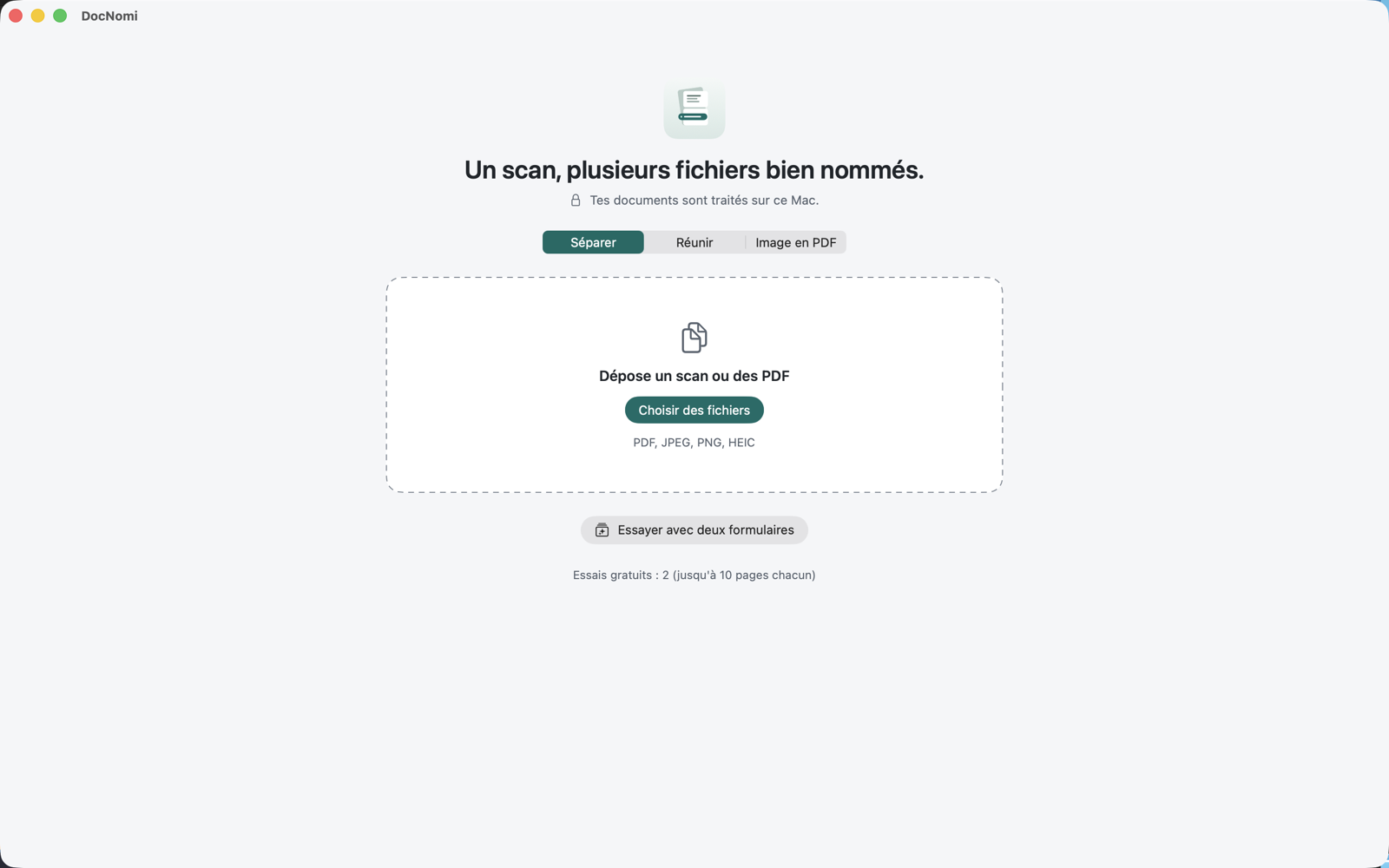
A scan or PDF that mixes several documents becomes one file per document. DocNomi finds where each one starts; you can move a cut with one click.
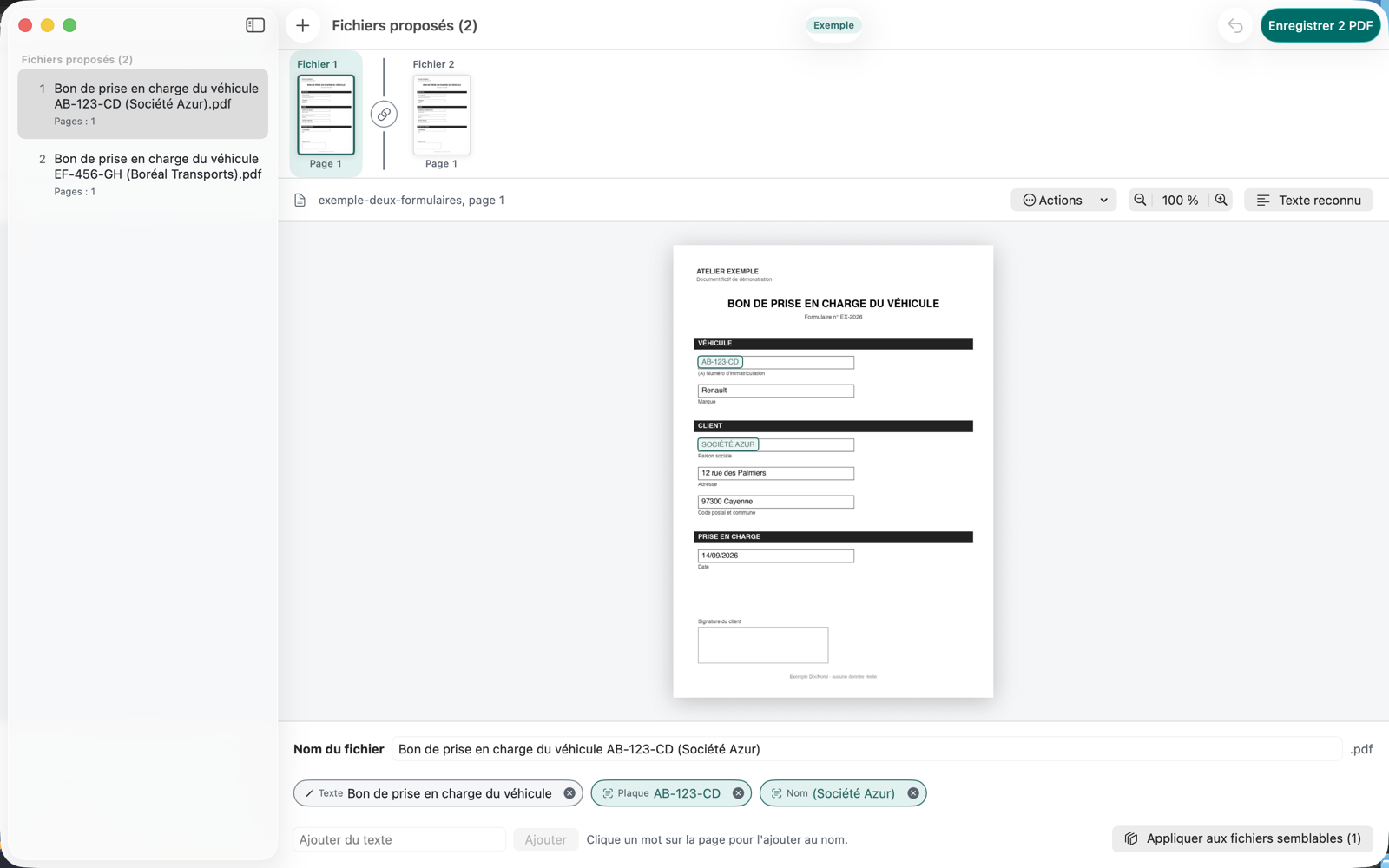
Each file gets a name taken from its pages, including what changes from one copy to the next. For example "Duplicate request AB-123-CD (Société Azur).pdf".
Several PDFs or images become a single PDF, in the order you choose.
A photo or an image becomes a clean PDF, in A4, US Letter or its original size.
Nothing is saved until you've reviewed it. You see every page, fix a name, click a word on the page to add it.
Reading the pages and suggesting names happen on the device. No document is sent, no account to create.
Drag your files into the window, save wherever you like. PDF, JPEG, PNG and HEIC are supported.
DocNomi is coming to iPhone too. One purchase will cover both devices.
Drag a PDF or images into DocNomi, or pick them. A single twenty-page scan mixing several documents is exactly what it likes.
On the left, the suggested files and their names. In the middle, the pages. On the right, the parts of the name: remove one, add a word from the page, apply the same logic to similar files.
One click and the new PDFs are created wherever you want. Your original files are never changed.
A page that went through the scanner twice, a document included twice: it shows you, you decide.
The file is called "invoice" but the page is a delivery note? You see it right away.
Two copies that look alike but don't carry the same signatures are never silently merged.
A blurry, faint or skewed page is flagged so you can check its name closely.
DocNomi suggests, you decide. Nothing is saved without your review, and your originals are never touched.
DocNomi reads your pages with Apple's text recognition (Vision) and Apple's on-device AI. Nothing goes online: not the documents, not the names, not the text read from them.
Read the privacy policyTwo free runs to see whether DocNomi saves you time. After that, a subscription or a one-time purchase, whichever you prefer.
Subscriptions renew automatically unless cancelled at least 24 hours before the end of the current period. Details in the Terms of use
No. Reading the pages and suggesting names happen on your Mac, using Apple's on-device tools. No document, name or text leaves your Mac.
You fix it before saving: review is mandatory. You can remove part of the name, click a word on the page to add it, or type your own text.
Never. DocNomi creates new files wherever you choose to save them. Your originals stay exactly as they were.
Not yet: DocNomi launches on Mac first. The iPhone version is coming soon, and one purchase will cover both.
DocNomi is coming soon to the Mac App Store. Two free runs, no account, and everything stays on your Mac.
We use essential cookies for the site to function properly and analytics cookies to improve your experience.