We put AI and software to work in your organization: on your computers, in a cloud you choose, or both. Before we start, we write down where your documents will go. Your teams keep the decision.
Review, correct, decideNothing leaves without their approval
On siteThe model runs on your computers. Your documents stay on the machine when it works offline.In the cloudYour documents go to a provider you choose, over the internet. The contract, settings and provider’s country are checked before we start.BothSensitive documents stay on site, other tasks can go through a cloud you choose. A written rule says what goes where.
Diagram of the principle, not a real network
01In brief
How do you bring AI into an organization?
You start small, on a real case: a task that comes up often, with documents you know. We choose with you where the AI runs, on site, in the cloud or both, and we write down where the data will go. A pilot with a few people checks that the tool is really useful, then we roll out one use after another. At every step, a person on your team reviews before anything is sent.
Can AI be used without sending documents outside the organization?
Yes, with a model installed on your machines: it works offline. The model itself sends nothing out. What can leave depends on the software around it (updates, backups, remote access): we list it with you, in writing. In the cloud, your documents go to the provider: its country, its subcontractors and the contract are checked before we start.
EstablishedFor personal data or sensitive documents, the CNIL (the French data protection authority) writes that it seems “more appropriate and more secure to favor deploying on-premises solutions”. Source: cnil.fr, questions and answers on generative AI, 18 July 2024, read on 22 November 2026.
There is no right choice in general, there is a right choice for your documents. On site, the AI runs on your organization’s computers. In the cloud, it runs on a provider’s servers, reached over the internet.
Three questions to guide you
Q·01
Do you need to be able to work without internet?
Network outages, remote sites, missions on the river.
Q·02
Do your documents contain personal or confidential data?
Files on service users, patients or employees, ongoing tenders, internal documents.
Q·03
Do you need access from several sites or on the move?
Branch offices, field staff, remote work.
First recommendation
Your turn to answer
Three answers are enough. The matching column then lights up in the table.
On siteYour documents stay with you, offline
In the cloudQuick to launch, large models
BothEvery document in its place
A first recommendation, not an assessment: we check it with you, on your documents, before anything is bought.
Criterion
Where your documents goOn your computers. They stay on the machine when the model runs offline.To the provider, over the internet.Sensitive documents stay on site, others can go through the cloud.
ConfidentialityThe model itself sends nothing out. What can leave depends on the software around it (updates, backups, remote access): we list it with you. Security depends on your machines, your network and your access controls.Depends on the provider, its country, its subcontractors and the contract. To be checked before starting.A written rule says which documents go where.
Without internetWorks.Does not work.The on-site part works.
PowerSmaller models. They can be enough to sort, summarize or search; they are less good at long or complex tasks. We check this during the pilot.Access to the providers’ large models, generally more powerful than those running on site.Each task goes to the model that suits it.
CostA machine to buy at the start, then electricity and maintenance.No machine to buy: a subscription or pay-as-you-go, which follows the volume.A machine and a subscription, each for its share of the work.
SetupLonger: choosing, installing and configuring the machine.Quick: accounts, settings and usage rules.In stages, one use after another.
MaintenanceUpdates to the model and the machine, by us or by your IT department.The provider handles updates. Still to follow: accounts, permissions and changes to the offer.Both to follow, with a single contact on our side.
Example modelsOpen models, for example Ministral 3 from Mistral AI (December 2025).Claude from Anthropic, GPT and Codex from OpenAI.An open model on site, a cloud model for the rest.
Public model names as of 22 November 2026, mentioned without any partnership with their publishers. Models change fast: we choose at the time of the project, and the pilot checks that the choice holds up on your documents.
EstablishedMistral AI intends its Ministral 3 series (3, 8 and 14 billion parameters) for local and embedded use, under the Apache 2.0 license. Source: mistral.ai/news/mistral-3, announcement of 2 December 2025, read on 22 November 2026.
03The principle
The AI prepares, people decide.
An AI can read, sort, summarize and write a first draft. It does not decide in place of your teams. Each use is designed so that a person reviews, corrects or rejects, with the time to do so.
01
The AI prepares
It reads the letter or the file, files it in the right place and suggests a draft or a list of points to check.
02
A person checks
They compare the suggestion with the source, correct it or reject it. They remain free not to follow the AI.
03
The decision stays human
A reply, a letter or a decision only goes out once a person on your team has approved it.
What the AI does not do on its own
Decide for a service user or a customer
Sign or send without approval
Grade a person
The CNIL points out that human intervention must be real: the person understands the suggestion, can examine it without pressure and remains free not to follow it. It also stresses training for public servants, documenting the tool and limiting the data it is given.
No sweeping promises. For each use, we describe with you what is put in place, and you can check it.
S·01
Where the data goes
Before we start, we write down for each use where your documents go: on which machine, with which provider, in which country.
S·02
Who has access
Each person has their own account, with permissions based on their role. The access list is set with you during the assessment, and access is removed when someone leaves.
S·03
What is kept
A log can keep who asked what, and what the AI answered. You decide what is kept, and for how long.
S·04
What we do not promise
An AI can make mistakes: human review remains necessary. No security is absolute. And we are not a law firm: we do not give legal advice.
In the same review, the CNIL notes that a model used outside the premises poses risks to confidentiality. This is one of the reasons for offering an on-site AI.
EstablishedCNIL, review of the “AI and public services” sandbox, April 2025, read on 15 November 2026 (address in section 03).
We start small, on a real case, before rolling out. Timelines are set during the assessment, according to your case.
Step01/ 05The assessment
AdviceImplementationYou decide
New uses
Advice
We look at your tasks, your documents and your constraints. We choose with you: on site, in the cloud or both, and we write down where the data will go.
You decide
A trial on a real case, with a few people. At the end, you decide: roll out, adjust or stop.
Implementation
Installation, accounts and permissions, connection with your tools. One use after another, never all at once.
Advice
Hands-on workshops for the teams who use it, on their own documents.
Implementation
Updates, fixes, new uses. A regular check-in to decide together what comes next.
The first conversation is free. The price and timelines are given to you in writing after the assessment, before any commitment.
07Business software and apps
Software tailored to your line of work
AI works best when it is built into your tools. We also develop custom web and mobile apps. Our first proof is the software we designed ourselves.
Used every day by the team
Primo Space
The app that replaced our Excel spreadsheets: time tracking, leave, payslips, client follow-up and profitability per project, in one place. One space per role.
A memory for AI agents, installed on the computer. It remembers preferences, projects and decisions from one session to the next, and can work with a local model.
These are our own tools. This page does not mention any client project.
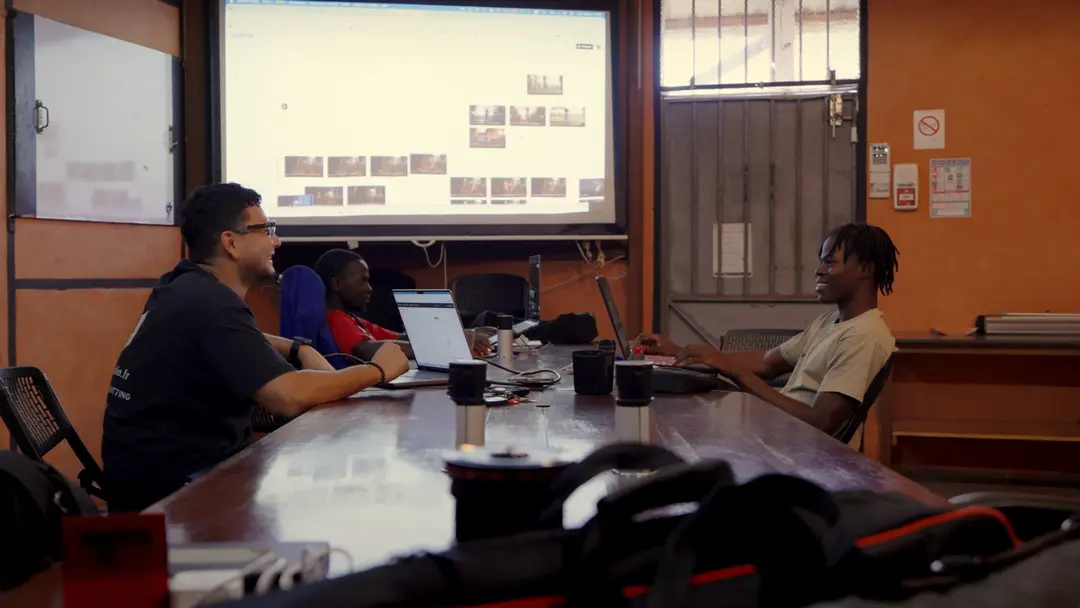
A workshop run by the team, in Saint-Laurent-du-Maroni
08Training your teams
Training your teams, without jargon
A tool is only useful if it is used well. Our workshops focus on office uses: writing a clear request, checking an answer, knowing what not to hand over to an AI.
On site or by video call
Exercises on your own documents
Course materials provided
Follow-up after the training
The European AI regulation asks organizations that use AI to take measures to help their teams master it (article 4). Since 27 July 2026, the text specifies that this does not require guaranteeing a level for each person.
An AI usage policy is a short document written for your teams: what can be done with AI, what is not handed over to it, who reviews. We write it with you, based on your actual uses.
C·01The approved toolsWhich ones, for which uses, with which account.
C·02What you do not hand over to an AIThe documents and data that stay outside the tool, or only on site.
C·03Who reviews and who approvesFor each use, the person who checks before a text or a decision goes out.
C·04What to do in case of errorWho to report it to, how to correct it, what record is kept.
C·05When to review itA review date, because tools and uses change fast.
We do not give legal advice: the policy is reviewed with the person in charge of data protection in your organization and, if you have one, with your legal department.
10The AI and software section
All the pages in this section
Three families, and a page for public services. Pages marked “Soon” are in preparation.
01Choosing your AI
Local AI, on your own computers SoonOpen models installed on your premises, usable even without internet
Cloud AI, with clear rules SoonModels hosted by a provider, with clear usage rules
Security and privacy SoonWhere your data goes, who can access it, which controls
AI in local government SoonCareful uses of AI for public services
A page for the constraints of public service: service users’ data, human oversight of decisions, staff training, transparency. No local authority will be named on it.
11Frequently asked questions
Your questions
F·01Can AI be used without internet?
Yes, with a model installed on site. It works offline, on a machine chosen during the assessment. It is less powerful than the largest cloud models: the pilot checks that it is enough for your use.
F·02Are our documents used to train the models?
On site, the model runs on your machines: your documents are not sent to the model’s publisher to train it. The software around the model is configured with you and listed in writing. In the cloud, it depends on the provider, the offer and the contract, checked in writing before we start.
F·03What computer is needed?
It depends on the model, the number of people and the volume of documents. We measure it during the assessment, on your documents, before anything is bought.
F·04Can AI make mistakes?
Yes. It can misread a document or make up information. That is why a person reviews before anything is sent, and why the AI shows where what it finds in your documents comes from.
F·05Who remains responsible?
Your organization. The AI prepares, a person on your team decides and signs. We design each use so that this person has the time and the means to check.
F·06What about the GDPR?
It applies, whether the AI runs on site or in the cloud. We do not give legal advice: we describe where the data goes, who accesses it and what is kept, so that the person in charge of data protection in your organization can decide. The CNIL (the French data protection authority) publishes its recommendations on cnil.fr.
F·07How long does it take, and how much does it cost?
It depends on your case: a machine to buy or a subscription, the number of uses, the training. The first conversation is free. After the assessment, you receive the timelines and the price in writing, before any commitment.
F·08Is an on-site AI a “sovereign AI”?
The term is widely used, but it does not match a single legal definition, and the reach of foreign laws over providers is debated. So we do not use it as a promise. Instead, we write down concretely where the model runs, where your documents are kept, which provider is involved and in which country.
12Contact
Let’s talk about your AI project
A free first conversation, on site or by video call, to identify your use case and the right model.